Works across Windows
Use the same translate action in browsers, editors, elevated apps, and system dialogs.
 Side Translate
Windows 10 & 11 utility
Google Translate support · 1 click · any Windows app.
Highlight text in any Windows app and read the translation beside your cursor. No copy-paste, no tab switching, no workflow break.
Free · Windows 10/11 x64 · Updated Jun 2, 2026
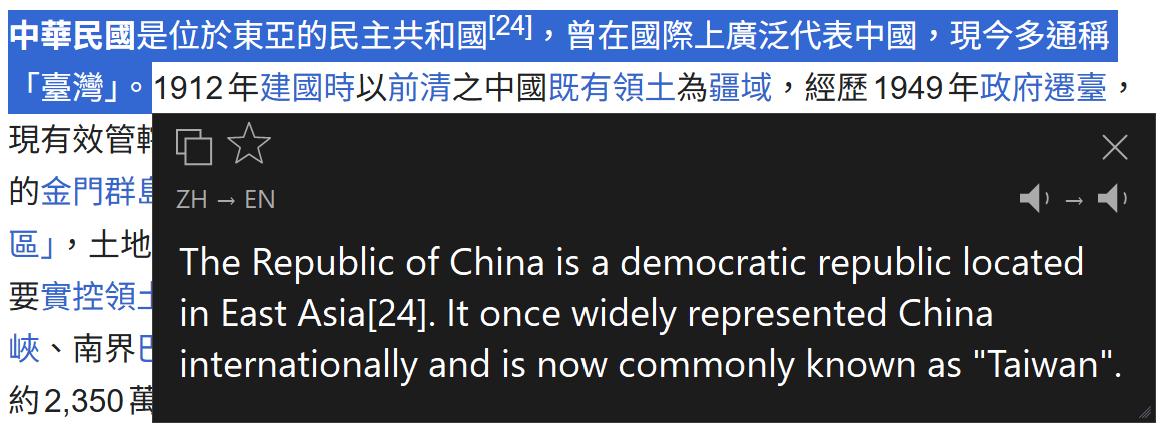
Instant in-place translation
Side Translate appears beside the selected text, so the original context stays visible while you read, copy, save, or listen.
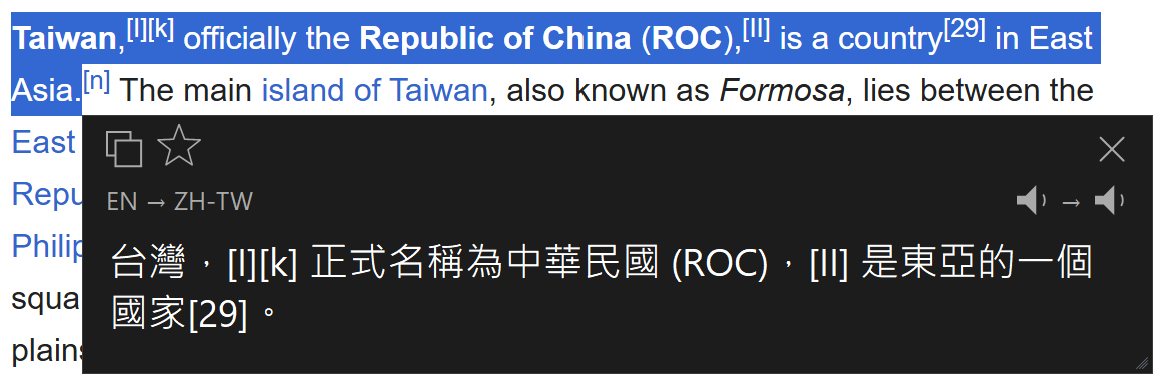
Highlight a word, sentence, or paragraph in your browser, document, PDF reader, or desktop app.
The translation opens next to the cursor with copy, favorite, close, and speech controls.
Switch target language automatically or use a second language when the selected text already matches your target.
Built for daily reading
Use the same translate action in browsers, editors, elevated apps, and system dialogs.
Uses Google's translate endpoint with automatic source detection, then displays the result in a native popup.
Listen to source and translated text from the popup when pronunciation matters.
Save translated words to your chosen folder for review outside the app.
Adjust the popup size and translation text size so long paragraphs stay readable.
Match Windows, your reading environment, or the apps you spend the most time in.
Control the behavior
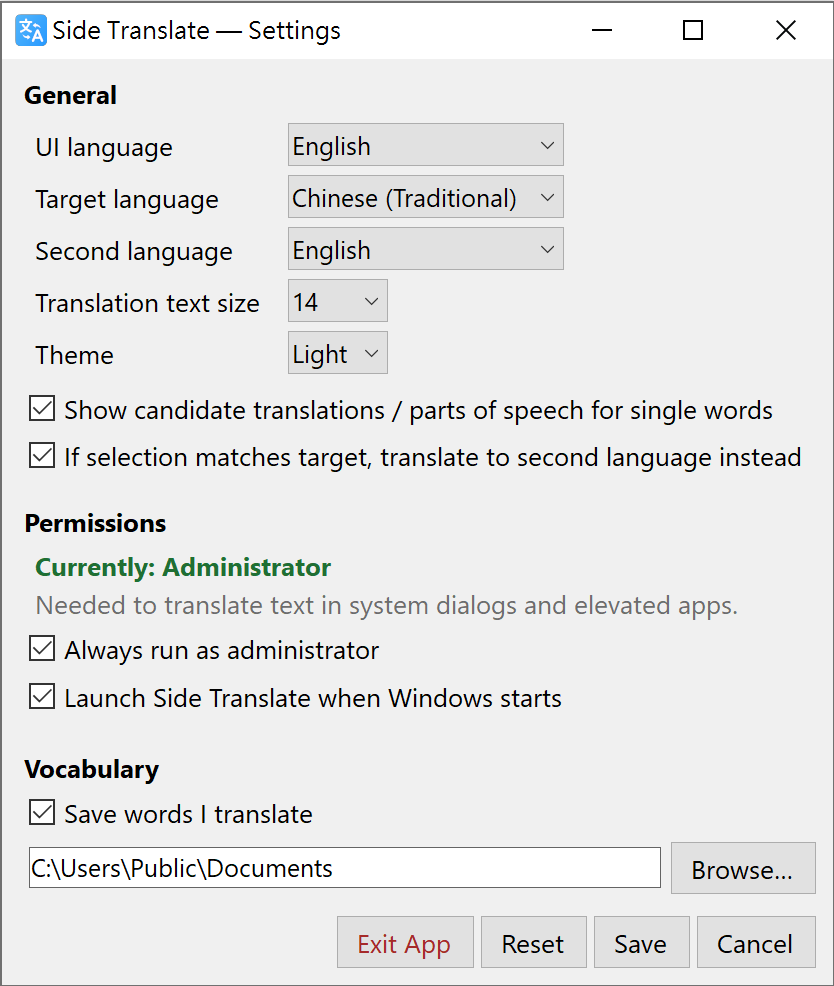
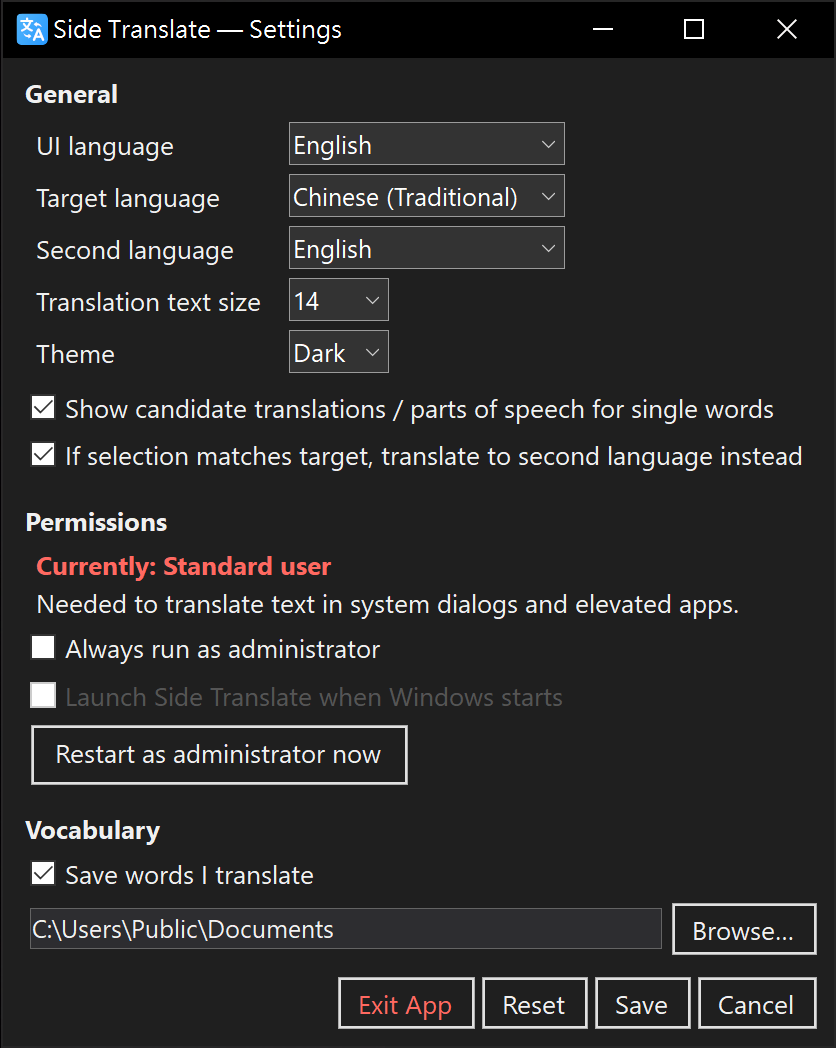
Settings are plain Windows controls. Pick your interface language, target language, second language, text size, and whether translated words should be saved.
Download details
The installer is hosted on Cloudflare R2 and delivered through Cloudflare. Keep the checksum if you want to verify the file after download.
Download for WindowsC7790FCF73240EBAC65B5155111A741D05F7B1283407D10936E7EE7064C72A17
FAQ
Yes. It is built for Windows desktop text selection, including common apps, documents, browsers, and elevated windows when permission is enabled.
Standard mode is enough for regular apps. Administrator mode is available when you need selection reading in elevated apps or system dialogs.
Yes. The settings window includes interface language, target language, second language, and popup text size controls.
Yes. Enable vocabulary saving and choose the folder where translated words should be stored.